> ## Documentation Index
> Fetch the complete documentation index at: https://cubed3-feat-druid-driver-streaming.mintlify.site/llms.txt
> Use this file to discover all available pages before exploring further.
# Usage Analytics
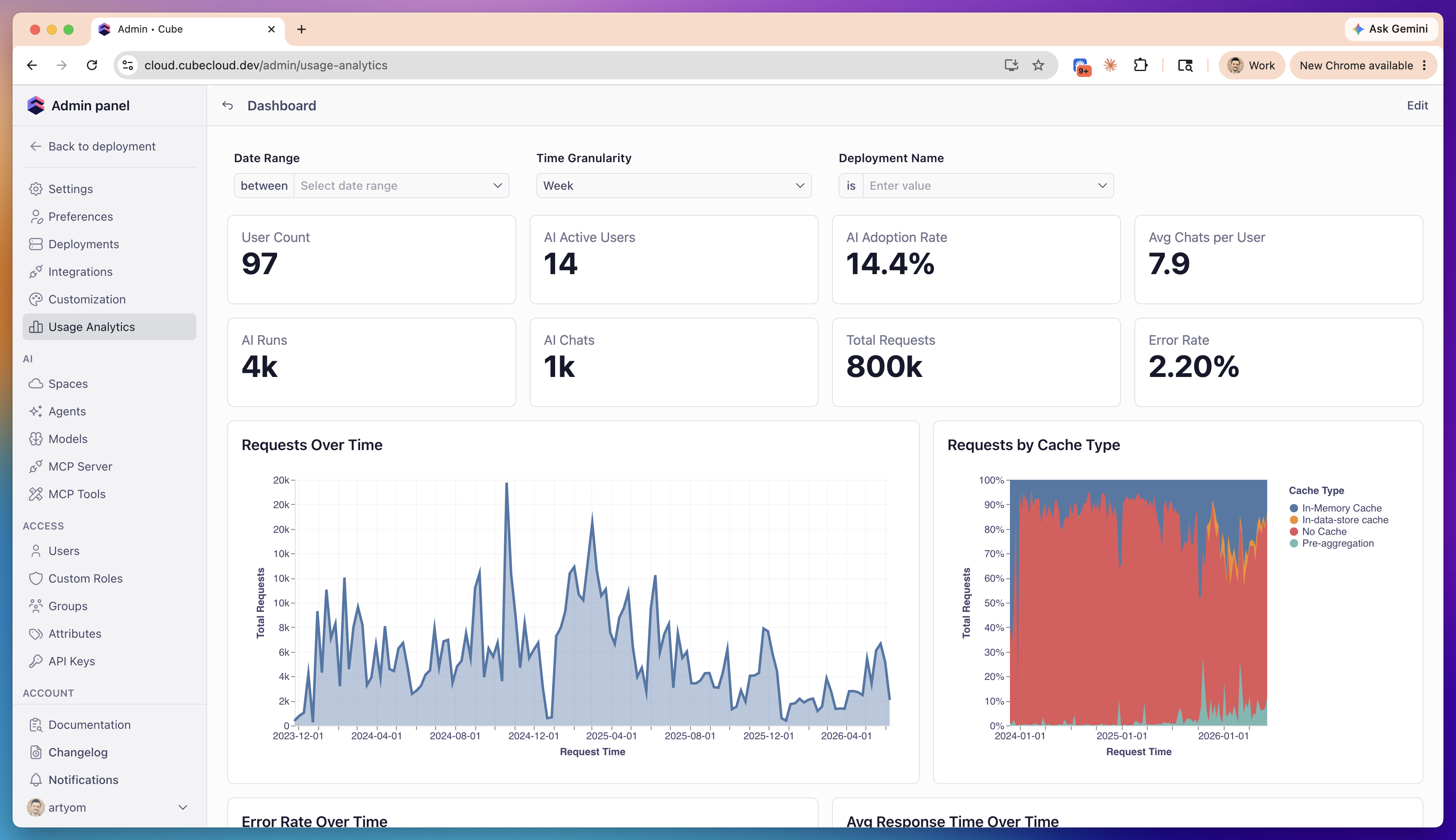
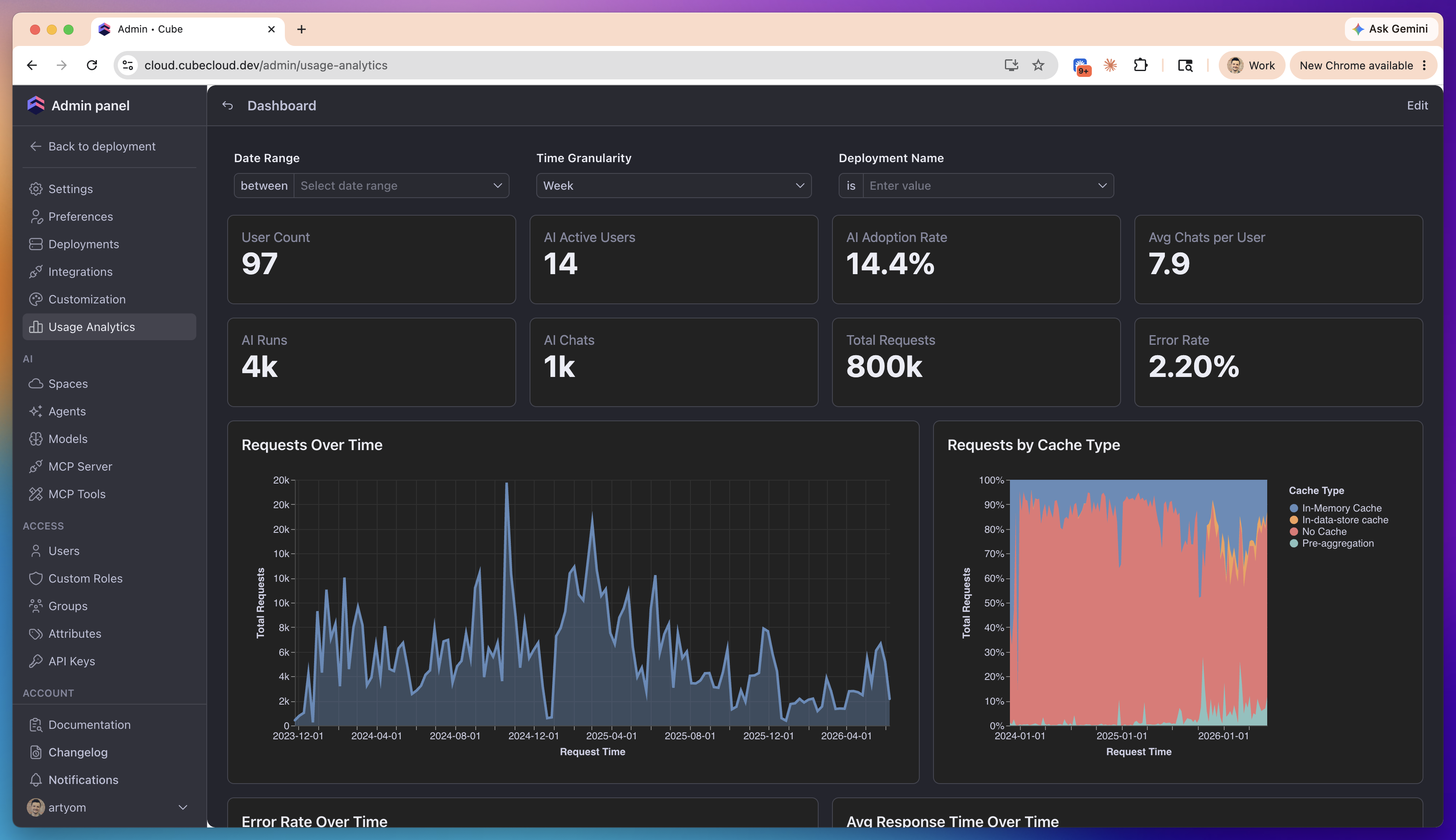
> Use built-in Usage Analytics dashboards to understand how your deployments are used — query activity, performance, user adoption, and AI usage.
The **Usage Analytics** page provides a set of pre-built dashboards that show
how your deployments are used: how many queries run and how fast they return,
how effectively the cache serves them, how actively users engage with the
platform, and how much AI activity and token consumption your account generates.
Usage Analytics is itself a Cube application: your account's usage telemetry
is modeled as a curated set of views, and the pre-built dashboards are regular
Cube dashboards on top of them. You can use the same views to
[build your own dashboards](#build-your-own-dashboards).
Available on [Premium and above plans](https://cube.dev/pricing).
Usage Analytics is only available to account administrators.
## Pre-built dashboards
Each dashboard answers a different question about your account's usage.
 | Dashboard | Description |
| -------------------------------- | ------------------------------------------------------------------------------------------------------------------------------ |
| **Overview** | High-level health and adoption at a glance: requests, error rate, cache hit rate, response time, AI activity, and top tenants. |
| **Query Activity & Performance** | Query volume by API type, latency percentiles, execution-stage breakdown, slowest queries, errors, and activity heatmap. |
| **Users & Adoption** | Active users over time, new vs. returning users, engagement frequency, seat utilization, and dormant accounts. |
| **AI & Token Tracking** | AI messages and conversations by surface, AI adoption, token consumption with estimated cost, and latency. |
## Build your own dashboards
Usage Analytics runs the full Cube application in
[Creator Mode](/embedding/iframe/creator-mode), embedded inside Cube. Beyond
the pre-built dashboards, you get the complete authoring experience: explore
the usage data, create workbooks, and assemble your own dashboards from it.
Your dashboards query the same three curated views that power the pre-built
ones. Anything you build stays private unless you share it.
| View | What it contains |
| -------------------- | ---------------------------------------------------------------------------------------------------------------------------------------- |
| **API Requests** | Every query hitting your deployments' data APIs, with timing, caching, errors, and the user, tenant, and deployment behind each request. |
| **AI Usage** | AI messages grouped into conversations and sessions, with context, token consumption, estimated cost, and latency. |
| **Users & Adoption** | Users and their engagement: sign-ups, active users, activity frequency, seat utilization, and dormant accounts. |
The API Requests view includes the security context behind each request, so
embedded analytics customers can slice usage by tenant — for example, to find
the heaviest tenants or compare per-tenant latency and cache efficiency.
## Data freshness and isolation
Usage Analytics data is available on a slight delay compared to live activity.
For real-time inspection of individual queries, use
[Query History](/admin/monitoring/query-history).
Usage Analytics content is isolated from your own deployments' content: the
views and dashboards described above don't appear in your data model, and your
end users can't access them.
| Dashboard | Description |
| -------------------------------- | ------------------------------------------------------------------------------------------------------------------------------ |
| **Overview** | High-level health and adoption at a glance: requests, error rate, cache hit rate, response time, AI activity, and top tenants. |
| **Query Activity & Performance** | Query volume by API type, latency percentiles, execution-stage breakdown, slowest queries, errors, and activity heatmap. |
| **Users & Adoption** | Active users over time, new vs. returning users, engagement frequency, seat utilization, and dormant accounts. |
| **AI & Token Tracking** | AI messages and conversations by surface, AI adoption, token consumption with estimated cost, and latency. |
## Build your own dashboards
Usage Analytics runs the full Cube application in
[Creator Mode](/embedding/iframe/creator-mode), embedded inside Cube. Beyond
the pre-built dashboards, you get the complete authoring experience: explore
the usage data, create workbooks, and assemble your own dashboards from it.
Your dashboards query the same three curated views that power the pre-built
ones. Anything you build stays private unless you share it.
| View | What it contains |
| -------------------- | ---------------------------------------------------------------------------------------------------------------------------------------- |
| **API Requests** | Every query hitting your deployments' data APIs, with timing, caching, errors, and the user, tenant, and deployment behind each request. |
| **AI Usage** | AI messages grouped into conversations and sessions, with context, token consumption, estimated cost, and latency. |
| **Users & Adoption** | Users and their engagement: sign-ups, active users, activity frequency, seat utilization, and dormant accounts. |
The API Requests view includes the security context behind each request, so
embedded analytics customers can slice usage by tenant — for example, to find
the heaviest tenants or compare per-tenant latency and cache efficiency.
## Data freshness and isolation
Usage Analytics data is available on a slight delay compared to live activity.
For real-time inspection of individual queries, use
[Query History](/admin/monitoring/query-history).
Usage Analytics content is isolated from your own deployments' content: the
views and dashboards described above don't appear in your data model, and your
end users can't access them.