> ## Documentation Index
> Fetch the complete documentation index at: https://cubed3-feat-druid-driver-streaming.mintlify.site/llms.txt
> Use this file to discover all available pages before exploring further.
# Integration with Dagster
> Dagster is a popular open-source data pipeline orchestrator. Dagster Cloud is a fully managed service for Dagster.
[Dagster][dagster] is a popular open-source data pipeline orchestrator. [Dagster
Cloud][dagster-cloud] is a fully managed service for Dagster.
This guide demonstrates how to setup Cube and Dagster to work together so that
Dagster can push changes from upstream data sources to Cube via the
[Orchestration API][ref-orchestration-api].
## Resources
In Dagster, each workflow is represented by jobs, Python functions decorated
with a `@job` decorator. Jobs include calls to ops, Python functions decorated
with an `@op` decorator. Ops represent distinct pieces of work executed within a
job. They can perform various jobs: poll for some precondition, perform
extract-load-transform (ETL), or trigger external systems like Cube.
Integration between Cube and Dagster is enabled by the
[`dagster_cube`][github-dagster-cube] package.
Cube and Dagster integration package was originally contributed by
[Olivier Dupuis](https://github.com/olivierdupuis), founder of
[discursus.io](https://www.discursus.io), for which we're very grateful.
The package provides the `CubeResource` class:
* For querying Cube via the [`/v1/load`][ref-load-endpoint] endpoint of the
[REST (JSON) API][ref-rest-api].
* For triggering pre-aggregation builds via the
[`/v1/pre-aggregations/jobs`][ref-ref-jobs-endpoint] endpoint of the
[Orchestration API][ref-orchestration-api].
Please refer to the [package documentation][github-dagster-cube-docs] for
details and options reference.
## Installation
Install [Dagster][dagster-docs-install].
Create a new directory:
```bash theme={null}
mkdir cube-dagster
cd cube-dagster
```
Install the integration package:
```bash theme={null}
pip install dagster_cube
```
## Configuration
Create a new file named `cube.py` with the following contents:
```python theme={null}
from dagster import asset
from dagster_cube.cube_resource import CubeResource
@asset
def cube_query_workflow():
my_cube_resource = CubeResource(
instance_url="https://awesome-ecom.gcp-us-central1.cubecloudapp.dev/cubejs-api/v1/",
api_key="eyJhbGciOiJIUzI1NiIsInR5cCI6IkpXVCJ9.eyJpYXQiOjEwMDAwMDAwMDAsImV4cCI6NTAwMDAwMDAwMH0.OHZOpOBVKr-sCwn8sbZ5UFsqI3uCs6e4omT7P6WVMFw"
)
response = my_cube_resource.make_request(
method="POST",
endpoint="load",
data={
'query': {
'measures': ['Orders.count'],
'dimensions': ['Orders.status']
}
}
)
return response
@asset
def cube_build_workflow():
my_cube_resource = CubeResource(
instance_url="https://awesome-ecom.gcp-us-central1.cubecloudapp.dev/cubejs-api/v1/",
api_key="eyJhbGciOiJIUzI1NiIsInR5cCI6IkpXVCJ9.eyJpYXQiOjEwMDAwMDAwMDAsImV4cCI6NTAwMDAwMDAwMH0.OHZOpOBVKr-sCwn8sbZ5UFsqI3uCs6e4omT7P6WVMFw"
)
response = my_cube_resource.make_request(
method="POST",
endpoint="pre-aggregations/jobs",
data={
'action': 'post',
'selector': {
'timezones': ['UTC'],
'contexts': [{'securityContext': {}}]
}
}
)
return response
```
As you can see, the `make_request` method for the `load` endpoint accepts a Cube
query via the `query` option and the `make_request` method for the
`pre-aggregations/jobs` endpoint accepts a pre-aggregation selector via the
`selector` option.
## Running jobs
Now, you can load these jobs to Dagster:
```bash theme={null}
dagster dev -f cube.py
```
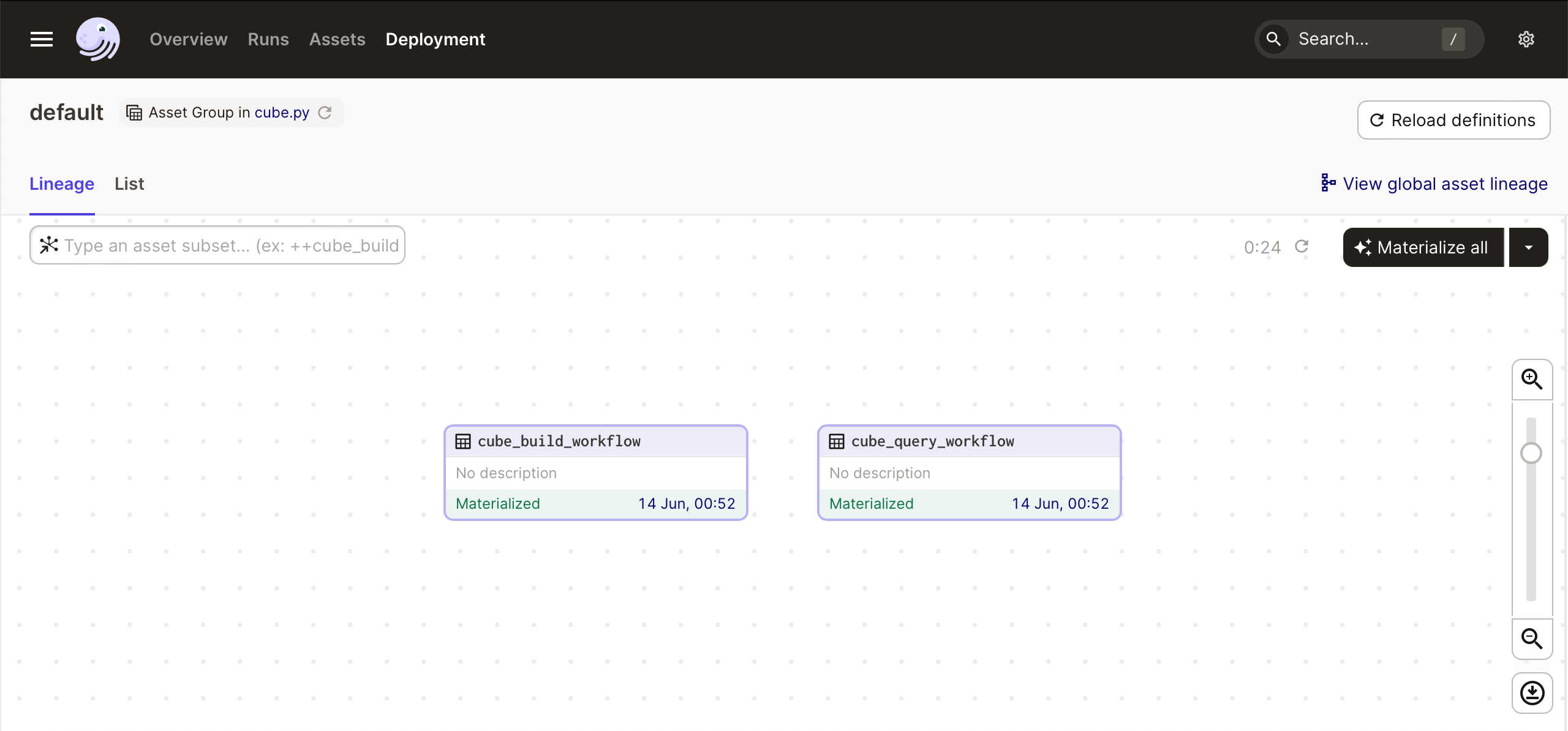
Navigate to [Dagit UI][dagster-docs-dagit] at
[localhost:3000](http://localhost:3000) and click **Materialize all** to
run both jobs:
 [dagster]: https://dagster.io
[dagster-cloud]: https://dagster.io/cloud
[dagster-docs-install]: https://docs.dagster.io/getting-started/install
[dagster-docs-dagit]: https://docs.dagster.io/concepts/webserver/ui
[github-dagster-cube]: https://github.com/discursus-data/dagster-cube
[github-dagster-cube-docs]: https://github.com/discursus-data/dagster-cube/blob/main/README.md
[ref-load-endpoint]: /reference/core-data-apis/rest-api/reference#v1load
[ref-ref-jobs-endpoint]: /reference/core-data-apis/rest-api/reference#base_path/v1/pre-aggregations/jobs
[ref-rest-api]: /reference/core-data-apis/rest-api
[ref-orchestration-api]: /reference/orchestration-api
[dagster]: https://dagster.io
[dagster-cloud]: https://dagster.io/cloud
[dagster-docs-install]: https://docs.dagster.io/getting-started/install
[dagster-docs-dagit]: https://docs.dagster.io/concepts/webserver/ui
[github-dagster-cube]: https://github.com/discursus-data/dagster-cube
[github-dagster-cube-docs]: https://github.com/discursus-data/dagster-cube/blob/main/README.md
[ref-load-endpoint]: /reference/core-data-apis/rest-api/reference#v1load
[ref-ref-jobs-endpoint]: /reference/core-data-apis/rest-api/reference#base_path/v1/pre-aggregations/jobs
[ref-rest-api]: /reference/core-data-apis/rest-api
[ref-orchestration-api]: /reference/orchestration-api